
My Ace remote isn’t working!Updated 2 months ago
If the Ace remote works intermittently, the problem is usually related to power, signal interference, or how the system is being activated rather than a total failure.
The best practice for your remote is to aim it towards the left side of the Ace seat when you're sitting down. You'll spot a foggy white button-like half circle on this side, which is the release button for your Ace. Use that as a reference to aim!
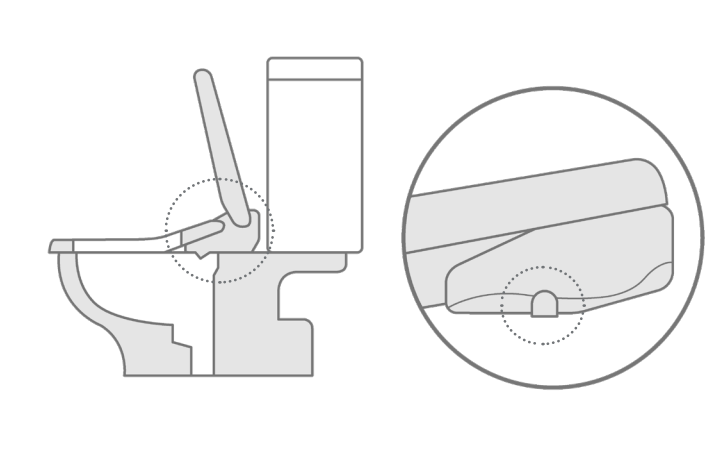
It's likely that the signal might be getting blocked, especially if you're right-handed or using the remote mounted on the right side of the wall. Please also try giving it a soft reset by pressing and holding the + and - buttons for five seconds, and that will reset the remote to factory conditions. You can also do a hard reset by removing the batteries from the remote and then putting them back in.
Check out this video where our TUSHY Ace Poo-Ru Carrie shows you all you need to know about how to use your TUSHY Ace remote!
If the Remote is not working at all, start by confirming the basics:
- Make sure the Ace is properly plugged into a working outlet. Power issues are often the simplest cause of remote problems, so it’s worth double-checking before moving on. If possible, try a different outlet to rule that out.
- Check the remote itself too. Are you seeing any other color lights other than white and blue? If you're seeing red, your batteries probably need replacing. If you’ve just replaced the batteries with fresh ones, please perform a soft reset by removing the batteries and then reinserting them.
Next, verify that you are actually seated on the Ace while testing the seat or remote buttons. For safety reasons, the system is designed to function only when someone is seated. When the seat sensor is working correctly, you should hear a single beep once you sit down. If it only responds sometimes when you’re seated, the seat sensor may not be consistently detecting weight. The touch sensor is on the right side of the seat when you are sitting on it.
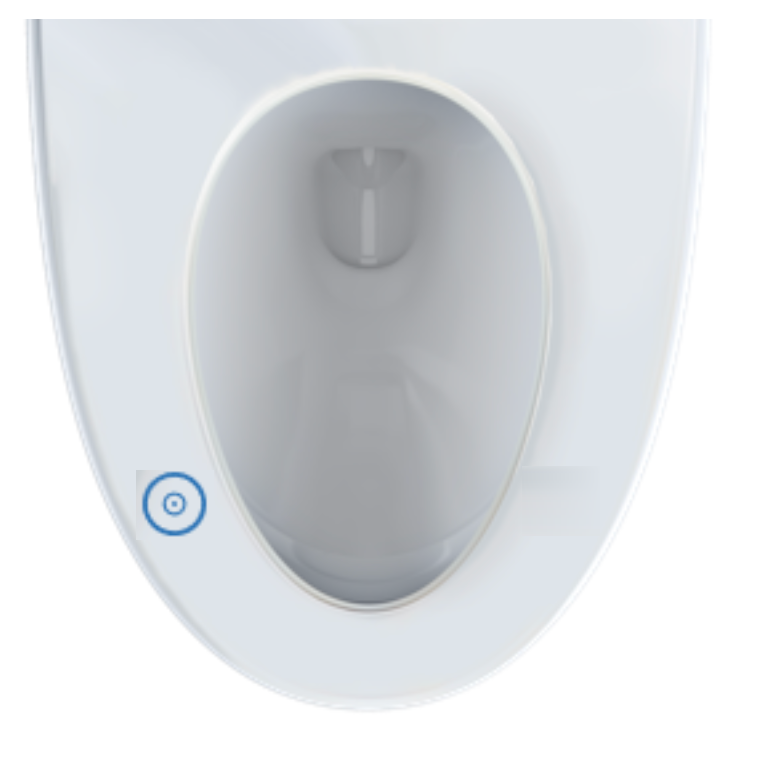
If you don’t hear any sound, or if you hear two beeps instead, the unit may need a reset. Try doing a hard reset—unplugging the Ace and removing the remote batteries for a short time—can stabilize the connection. After reconnecting, test it again while seated.
Finally, consider whether the mute function may be toggled on accidentally. To check this, press and hold the stop button for about 10 seconds. After the first 5 seconds, the lights will turn white—continue holding for another 5 seconds until the lights turn off completely. You should then hear two beeps, confirming that the Ace has been successfully unmuted.
If none of the above works, please reach out to our Poo-Rus! We've got your back(side)!