
Eau by TUSHY not turning on or respondingUpdated 5 minutes ago
If your Eau won't power on — no display, no lights, no response — don't worry. This is almost always an electrical supply issue and straightforward to resolve. Work through the steps below in order.
1. Make Sure You're Seated
The Eau has a built-in seat sensor that activates the toilet's functions. If no one is sitting on the seat, many features won't respond — even if the unit is fully powered on.
Fix:
Sit fully on the seat and try again. The sensor needs direct contact to register a user. If functions work when seated but not otherwise, your toilet is working exactly as designed.
2. Check That the Toilet Is Plugged In
It sounds obvious, but the power cord can work itself loose — especially right after installation when things are still being arranged.
Fix:
- Locate the power cord running from the back of the toilet.
- Make sure it is plugged firmly all the way into the GFCI outlet. A half-seated plug won't make a reliable connection.
- Check that nothing is pulling on the cord or causing it to sit at an angle in the outlet.
3. Reset the GFCI Outlet
The Eau requires a 3-prong 120V GFCI outlet. GFCI outlets are designed to trip (cut power) if they detect a fault — this is a safety feature, not a sign that anything is wrong with your toilet. A tripped outlet is one of the most common reasons an Eau appears completely dead.
Fix:
- Look at the outlet the Eau is plugged into. A GFCI outlet has two small buttons in the center: RESET and TEST.
- If the RESET button is popped out, the outlet has tripped. Press it firmly until it clicks back in.
- Plug the Eau back in and check whether the display on the seat lights up.
⚠️ Important: If the outlet does not have RESET and TEST buttons, it is not a GFCI outlet. The Eau must be connected to a GFCI outlet — using a standard outlet is a safety risk and may void your warranty. Contact a licensed electrician to have a GFCI outlet installed if needed. TUSHY can refer you to one! Email us at [email protected].
4. Confirm the Outlet Is the Right Type
Even if the outlet looks like a GFCI, confirm it meets both requirements before proceeding:
- 3-prong grounded outlet (not a 2-prong)
- 120V / 60Hz — not a 240V outlet
- Located within 3 feet of the toilet (the power cord is 3 feet long — do not use an extension cord)
🚨 Warning: Do not use an extension cord with the Eau. The toilet has electrical components and requires a direct, grounded connection to function safely.
5. Check the Power Cord for Damage
Inspect the full length of the power cord from the toilet to the outlet.
What to look for:
- Fraying, cuts, or exposed wiring
- Kinks or sharp bends that could have damaged the internal wiring
- Scorch marks or discoloration near the plug
🚨 Warning: If the cord is damaged in any way, do not plug it in. A damaged cord must be replaced before use. Contact [email protected] immediately.
6. The Unit Has Been Powered Off via the Side Knob
The Side Control Knob on the toilet doubles as a power button. If someone held it down, the unit may have been intentionally powered off, and the display will be dark even though the toilet is plugged in.
Fix:
- Press the Side Control Knob once to wake the unit.
- If the unit is off, hold the Side Control Knob down to turn it back on.
- The display on the seat should illuminate once the unit is on.
7. The Unit Is Overloaded on the Circuit
The outlet the Eau is plugged into should not be shared with too many other high-draw appliances. An overloaded circuit can cause the breaker to trip, cutting power to the outlet entirely.
Fix:
- Check your home's electrical panel for any tripped breakers (a tripped breaker will be in a middle or 'off' position, not fully on or off).
- Flip the breaker fully off, then back on.
- Unplug other devices from the same circuit if possible, then test the Eau again.
What the Display Should Look Like When On
When the Eau is powered on and functioning normally: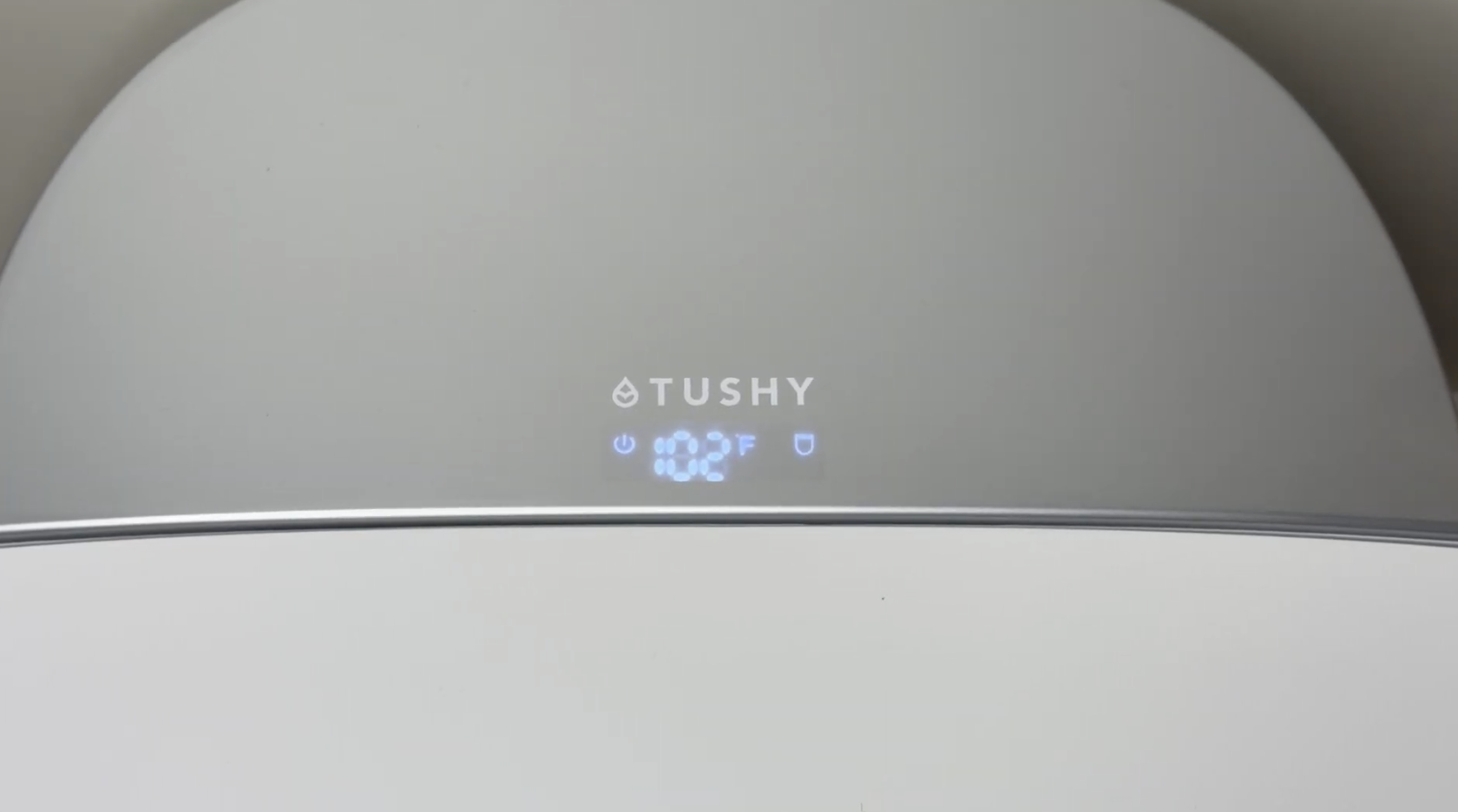
- The digital display on the seat will be lit and may show temperature or function indicators.
- On first plug-in, the toilet runs a brief self-diagnostic cycle — the lights turn on, the nozzle extends momentarily, and water runs through the system. This is normal and completes within a few seconds.
- If the display shows an error code after powering on, refer to the Eau Isn't Flushing article for the error code reference, or contact our team.
Still Won't Turn On?
If you've worked through every step above and the Eau still has no power, there may be an internal electrical issue. Please don't attempt to open or service the unit yourself — the Eau contains electrical components and internal maintenance is not user-serviceable.
Contact our Poo-Ru team and we'll figure out the next steps together.
Have your order number and serial number (right side of the toilet base) handy — it helps us move faster.